The Simple Guide to CNC Setup Sheet Software
Upgrade your shop floor with digital CNC Setup Sheet software to eliminate errors, cut downtime, and boost productivity.
Table of Contents
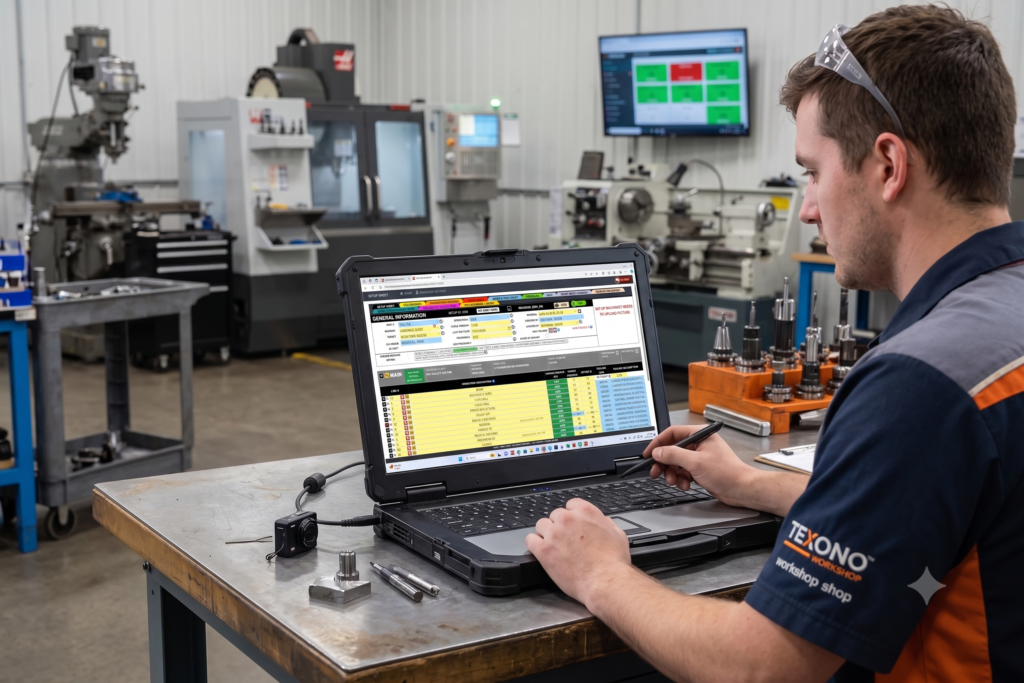
If you run or manage a machine shop, you know the scenario: a machine sits idle while an operator searches for a missing paper setup sheet. Or worse, an operator uses an outdated printout, sets the wrong tool offset, and crashes a spindle on the first pass.
Paper setup sheets and printed binders have been the standard in machine shops for decades. But as jobs get more complex and changeovers need to be faster, paper creates bottlenecks.
CNC setup sheet software fixes this by bringing your setup instructions, tool lists, work offsets, and photos into one digital hub. Here is what you need to know about making the switch.
What Is CNC Setup Sheet Software?
CNC setup sheet software is a digital system designed to store, manage, and display all the instructions a CNC machinist needs to set up a job on a machine.
Instead of printing paper sheets and storing them in greasy shop floor binders, setup sheet software gives programmers and operators instant digital access to:
- Tool Lists & Extensions: Exact tool numbers, holder specifications, stick-out lengths, and inserts needed for the job.
- Work offsets and zero points: clear coordinates and fixture locator points (G54, G55, and so on). If you want a refresher on the code behind these, see G-code.
- Fixture & Clamping Instructions: Step-by-step instructions on how to secure raw material safely.
- Visual Setup Photos & CAD Renderings: High-resolution images of the fixture setup, part orienting, and tooling setup so there is zero guesswork.
- G-Code Notes & Revision History: Special instructions from the programmer and history of recent updates.
When this lives in one system, everyone on the shop floor works from the same up-to-date source of truth.
The Hidden Costs of Paper Setup Sheets
Paper and scattered spreadsheets look cheap, but they drain profit through friction:
Time Spent Searching for Paperwork
Hunting for a sheet, reprinting a copy, or tracking down missing tooling notes adds up fast. Across several machines and shifts, that’s real cutting time lost every week.
Version Control Problems
When a programmer updates a toolpath or offset, printed copies on the floor go out of date. An operator working from last month’s printout is a recipe for scrap and broken tools. This is the same revision-control problem we describe in 5 signs your shop is still running on paper.
Lack of Visual Clarity
Handwritten notes rarely tell the whole story. Without clear photos or diagrams, newer operators are left guessing how a fixture should be clamped or a tool loaded.
Key Benefits of Digital CNC Setup Sheets
- Faster changeovers: open the setup sheet on a tablet or computer beside the machine, with everything visible in seconds.
- Fewer surprises: when a programmer updates a sheet, everyone sees the update, with no running around replacing paper.
- Fewer setup mistakes and less scrap: clear photos, exact tool data, and step-by-step instructions help parts go right the first time.
- Easier training: visual, step-by-step sheets make it quicker to onboard new machinists. Our guide to training CNC operators on digital process sheets covers the rollout.
Standardized setup work has a measurable payoff. A peer-reviewed case study of a metalworking SME that combined 5S, preventive maintenance, and setup-time reduction found a 32% reduction in machine setup time. The SMED method behind it is a good starting point, and our guide to standardizing CNC machine setups shows how to apply it.
What to Look for in CNC Setup Sheet Software
A Shop-Floor-Friendly Interface
Operators shouldn’t need a computer science degree to open a setup sheet. Look for large buttons, clean visuals, and fast search.
Integration with Your ERP or Tooling System
The best setup software works alongside your machine shop management software, tool crib tracking, and production schedule, so tooling data isn’t typed in twice.
Photo and File Attachments
You should be able to attach images, sketches, and notes directly to a setup sheet so they’re there for future runs.
Customizable Layouts
Every shop has its own workflow. Software that lets you adjust fields, notes, and layout to match how your machinists work will get used more.
Not sure what to put on a sheet to begin with? Our CNC setup sheet checklist lists everything every new job should include.
How Texono’s Setup Sheet Application Works
Texono’s Setup Sheet Application is a custom web app built to speed up CNC setup on lathes, mills, drills, and other machines. It opens in any browser on a computer or tablet. To create a sheet, you:
- Select the machine from a list customized to your shop.
- Choose the part or job, with the app pulling relevant data from your existing databases.
- Specify operation, material requirements, turret, cycle time, and cutting parameters.
- Generate the sheet, review it, and add any special notes.
Sheets carry job information (part name, drawing number, material, machine, tooling, clamping and fixture details) and setup instructions with visual aids. There’s an optional ToolCrib Application integration that syncs tooling data, so only tools available on a specific machine are selectable for that machine’s sheets. It also produces job reports and analytics, and it’s a custom module of Texono’s Manufacturing ERP and Machine Shop ERP.
Results at CAMCO Manufacturing:
The app was built for CAMCO, a machine shop. Texono reports from that implementation roughly a 32% increase in overall production, a 30–40% reduction in setup time, 10–15% higher machine utilization, and 10–15% fewer defects and less rework. These are one shop’s results, so yours will vary, but they show what standardized digital setup can do.
If you’re looking at where setup sheets are heading next, see the future of CNC setup sheets: digital work instructions and ERP integration and our guide to digital work instructions for CNC operators.
Frequently Asked Questions
A digital system for storing and displaying the tools, offsets, fixtures, photos, and instructions needed to set up a CNC job.
No. Any shop where operators lose time looking for setup information, or where revisions cause scrap, can benefit.
Some systems can. Texono’s Setup Sheet Application has an optional ToolCrib integration that syncs tooling data.
No. Most shops start with one machine or one recurring job, prove it works, and expand.
Call to Action
Ready to eliminate paper setup sheets, reduce setup times, and keep your CNC machines cutting? Contact the Texono team to see how digital setup sheets can work in your shop.

We help your business grow with powerful SaaS solutions
Resources
© 2026 Texono. All rights reserved.