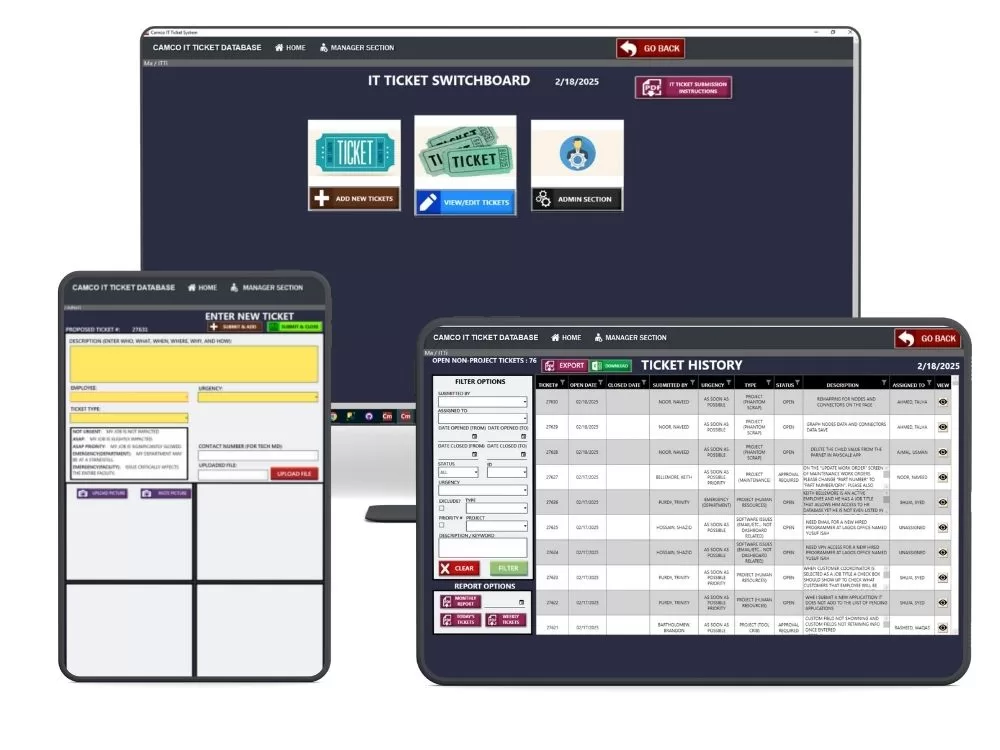
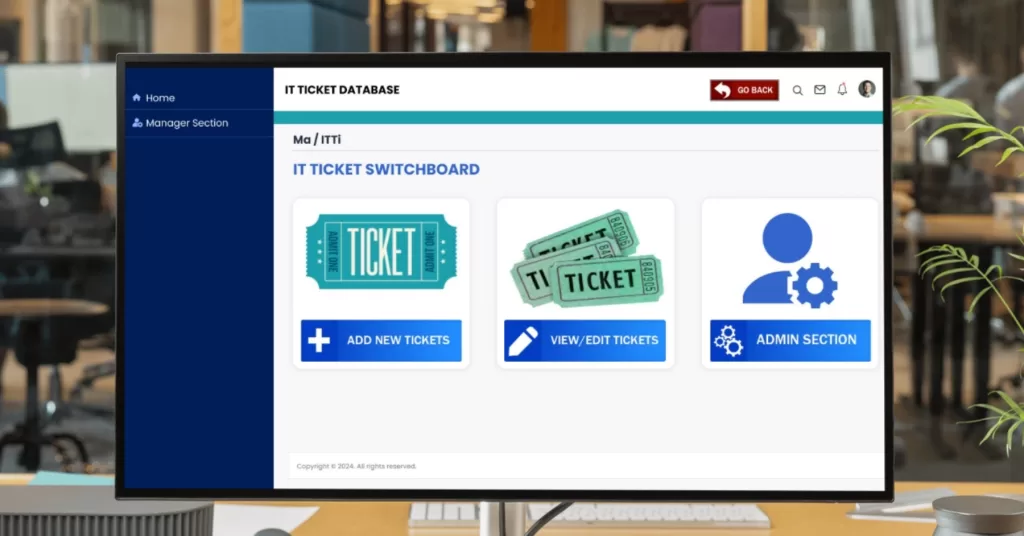
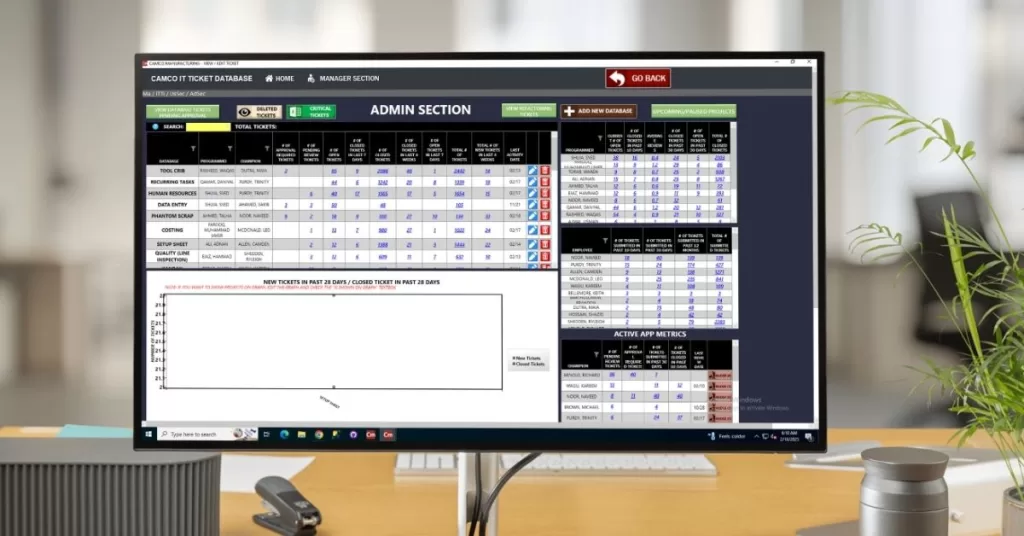
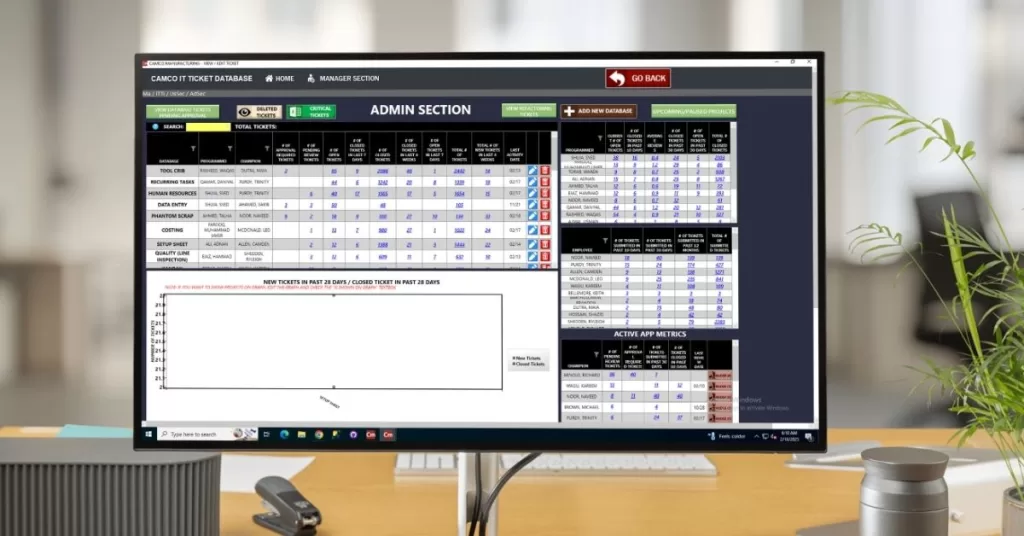
The administrative portal gives plant IT managers and shop supervisors granular control over access levels, ticket routing, and user roles. Configure custom issue categories such as CNC network drops, floor terminal crashes, and CAD licensing errors, and assign dedicated system champions to oversee resolution sign-offs. Integrated directly with your machine shop software solutions, this role-based control ensures machine operators, line supervisors, and engineers only access the administrative settings relevant to their daily responsibilities.
- Plant IT & Support Application
IT Ticketing System for Manufacturing & Machine Shops
Keep your production lines and administrative systems running without costly downtime. Texono’s manufacturing IT ticketing system centralizes technical support requests across your front office, engineering stations, and CNC machining floor into a clear, prioritized queue.
Quickly report and resolve workstation outages, barcode reader errors, CAM software licensing issues, and network drops right at the machine spindle. Connected with our broader suite of machine shop software solutions, it ensures your support personnel track maintenance tasks, assign tickets by urgency, and keep facility operations fully productive.
Centralized Support Management for Plant Operations
Technical glitches on the shop floor can halt active machine spindles just as fast as tooling failures. Texono’s IT ticketing application centralizes technical support requests across your CNC programming stations, shop-floor kiosks, and administrative offices into a single, real-time board. Instead of relying on scattered emails or verbal walk-ups, staff can submit issues directly from their workstations to keep production moving.
Our application oversees the full lifecycle of every incident—from automated logging and technician dispatch to priority assignment, resolution verification, and post-fix audit reports. Connected directly with your core machine shop software solutions, the system tracks recurring hardware failures on specific machines, documents preventive maintenance patterns, and integrates an on-demand troubleshooting knowledge base so common setup issues are resolved in minutes.
Modular IT Support Built for Manufacturing ERP
Texono’s IT ticketing application runs as both a lightweight desktop client and a responsive web app, functioning as a native module within our broader manufacturing ERP system. Built specifically for industrial operations, it gives floor technicians, programming teams, and system administrators a shared hub to resolve technical roadblocks before they delay scheduled machine runs.
Structured Ticket Lifecycle: Move each support ticket through a standardized four-stage pipeline: Submission, Triage & Assignment, Fix Verification, and Closure.
Priority-Based Dispatch: Flag critical work-center interruptions such as downed DNC links or frozen CAD/CAM modeling software ahead of routine office requests to protect machine uptime.
Live Operational Visibility: Monitor real-time status boards showing open issues, response times, and technician assignments across all production cells and office terminals.
Automated Escalation & Logging: Automatically route recurring hardware errors, generate resolution logs, and archive incident history for plant equipment compliance audits.
Core IT Ticketing Features for Machine Shops & Plants
01
Rapid Ticket Creation
Operators and office staff can log technical issues in seconds via the “Create New Ticket” portal. Input the affected work center, describe the disruption, set urgency levels, and auto-generate an indexed tracking number for immediate follow-up.
02
Incident Categorization & Triage
Sort incoming requests automatically by department, machine cell, and severity. Administrators can customize issue categories from CNC network drops and barcode reader faults to CAD licensing errors, ensuring urgent line-stopping incidents get priority handling.
03
Technician Assignment & Status Tracking
Dispatch tickets directly to designated support technicians using direct staff selection. Live visual indicators keep supervisors updated on progress with clean status states: Open, In Progress, Awaiting Parts, and Closed.
04
Structured Resolution & Sign-Off
Enforce a two-step verification workflow: the technician completes the repair, and the system champion or IT lead reviews the work before formal ticket closure. Clear timestamping tracks open-to-close turnaround times accurately.
05
Plant IT Project Management
Group related incident tickets under broader facility technology upgrades such as server migrations, network cabling drops, or new machine integrations. Oversee milestones, deadlines, and technical asset rollouts from one place.
06
Downtime Analytics & Reporting
Generate detailed reports on closed tickets, recurring station glitches, and department response times. Spot equipment failure trends early to schedule preventive maintenance before minor hardware bugs turn into unscheduled spindle downtime.
Eliminate Technical Roadblocks Across the Production Floor
Texono’s IT ticketing application centralizes hardware, software, and network troubleshooting into an organized, real-time board. When a shop terminal fails, a CNC machine drops offline, or CAD licenses lock up, facility operators and managers can log incidents instantly. Support technicians can immediately triage, assign, and resolve problems before small glitches cause active machine downtime.
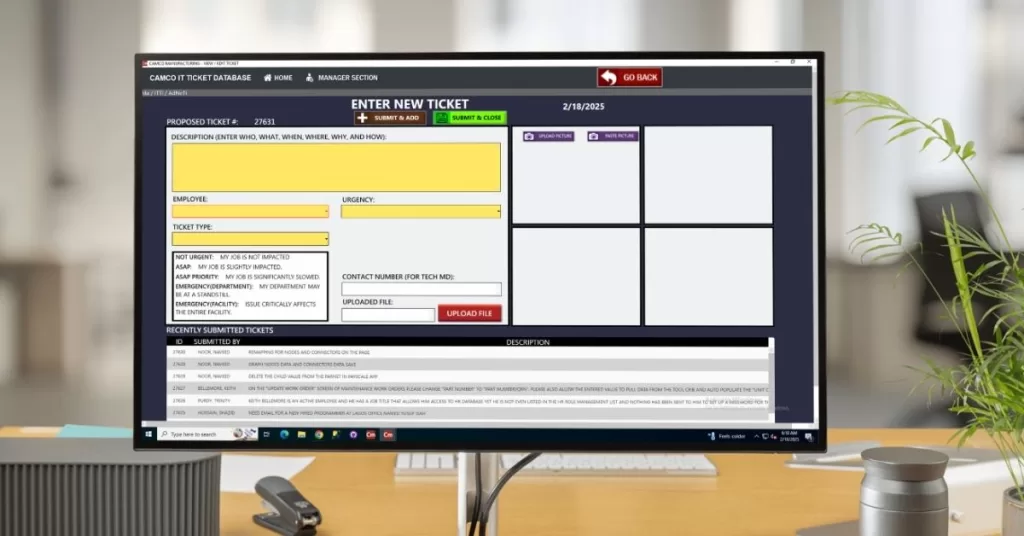
Fast, Detailed Ticket Submission
The dedicated submission portal allows staff to report issues in seconds without disrupting production rhythms. Users log clear details, including affected work center, incident urgency, contact number, and error descriptions, with direct options to upload diagnostic screenshots or configuration log files.
Every ticket generates an indexed tracking number linked to the user’s profile and active production scheduling board. A live feed at the bottom displays recent ticket histories so technicians never duplicate troubleshooting efforts.
View & Manage Active Support Tickets
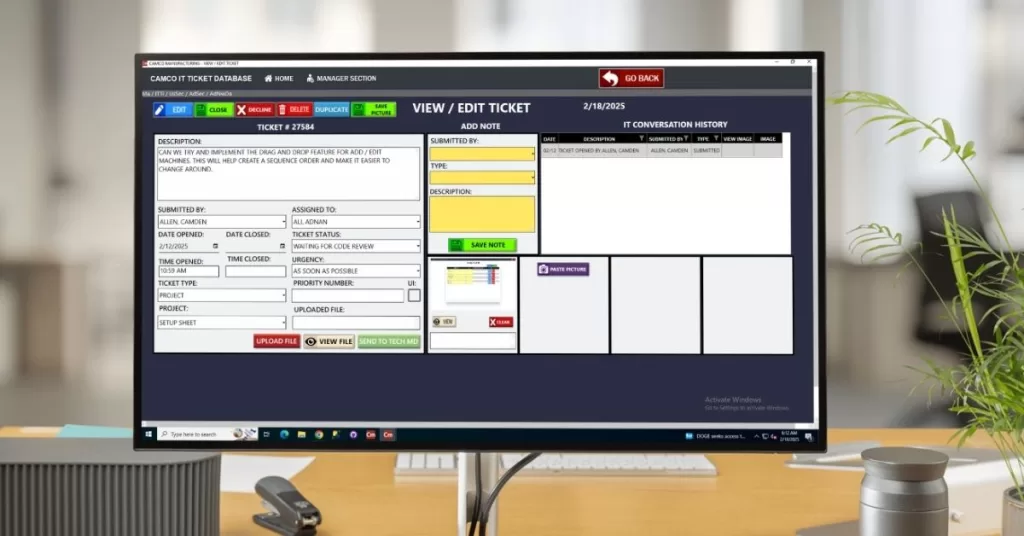
The ticket management dashboard provides full visibility into every open support request across your facility. Supervisors and support staff can review initial submitters, assign technicians, track active status states such as Open, In Progress, or Awaiting Approval, and verify total resolution duration.
Technicians can append troubleshooting screenshots, update root-cause notes, and upload diagnostic configuration files directly to the ticket. By integrating with our machine shop software solutions, this centralized record ensures seamless communication between CNC operators, maintenance leads, and IT coordinators.
System Administration & Operational Analytics
Ready to Simplify Your Shop Support?
Get a custom ticketing application built specifically for the realities of modern manufacturing operations.
The IT Ticketing Process: From Shop Floor to Resolution
When an issue strikes—such as a shop terminal crashing with an error code, a DNC line disconnect, or an operator needing permissions updated—unresolved tickets cause immediate line delays. Texono’s IT ticketing application enables staff to log problems directly through the “Create New Ticket” portal, specifying machine impact and attaching diagnostic logs before work orders are delayed on your production scheduling boards.
Once submitted, the ticket is categorized by urgency and routed to designated support technicians. Plant managers can monitor progress in real time across active states- Open, In Progress, and Pending Approval- before an IT lead conducts the final verification sign-off. Connected directly with our machine shop software solutions, this workflow prevents lost requests and ensures your shop floor stays operational.
Ticket Submission: Log incidents with unique tracking IDs, affected machine stations, urgency levels, and error logs.
Triage & Assignment: Review incoming issues, prioritize line-critical failures, and dispatch tasks to specialized technicians.
Resolution & Testing: The assigned technician addresses the root cause, uploads fix notes, and marks the task complete.
Review & Sign-Off: The department champion verifies system stability and formally approves ticket closure.

Flexible Deployment & Enterprise Architecture
Texono’s IT ticketing application is built using high-performance .NET, C#, and Blazor frameworks. This modern foundation provides sub-second screen responsiveness, secure role-based access, and the architectural flexibility to customize data fields, priority triggers, and workflow approvals to match your exact facility hierarchy.
Every manufacturing facility handles security and data ownership differently. Texono supports multiple deployment models to fit your operational policies:
Cloud / SaaS: Fully managed cloud deployment with automated maintenance, secure backups, and zero local server overhead.
On-Premises: Run the system entirely behind your facility firewall on local hardware for strict internal security environments.
Full Ownership & Integration: Connect the software natively into your broader ecosystem of machine shop software solutions and operational tools without recurring licensing lock-ins.
Discover how a purpose-built IT ticketing application can protect your shop floor from unscheduled technology disruptions. We provide working, interactive prototypes tailored to your team’s workflow within 7 days of your discovery consultation.


We help your business grow with powerful SaaS solutions
Resources
© 2026 Texono. All rights reserved.