Step-by-Step Guide to Creating a CNC Setup Sheet
Learn how to create accurate and efficient CNC setup sheets to streamline your machining process and improve productivity.
Table of Contents
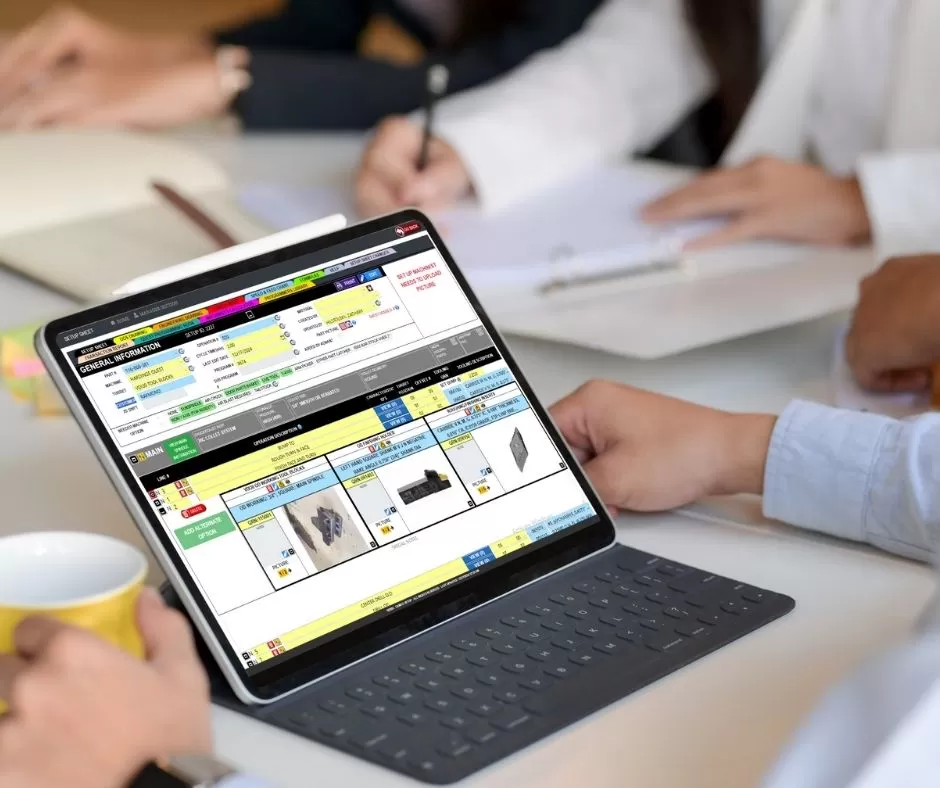
Creating an accurate CNC setup sheet is a critical step in ensuring smooth machining operations. A well-structured setup sheet provides all the necessary details for machine operators, including tooling information, machine parameters, and step-by-step instructions.
However, traditional methods of creating setup sheets—using spreadsheets or manual notes—can be time-consuming and prone to errors. This is why many modern machine shops are switching to digital setup sheet applications, which automate the process and improve accuracy.
In this guide, we’ll walk you through a simple, step-by-step process to create an effective CNC setup sheet that reduces errors, saves time, and improves productivity.
What is a CNC Setup Sheet?
A CNC setup sheet is a document that contains all the information required to set up a machine for a specific job. It acts as a guide for operators, ensuring that every step is performed correctly and consistently.
A typical setup sheet includes:
- Part name and drawing number
- Machine type and specifications
- Tooling details and offsets
- Cutting parameters (feeds and speeds)
- Setup instructions and notes
Step-by-Step Process to Create a CNC Setup Sheet
Step 1: Access the Setup Sheet Application
Start by opening your setup sheet software on a computer, tablet, or any device with internet access. Digital applications allow you to work from anywhere on the shop floor.
Step 2: Select the CNC Machine
Choose the machine you will be using for the job. This could be a lathe, milling machine, or drill. Selecting the correct machine ensures that the setup sheet includes relevant specifications and compatible tooling options.
Step 3: Choose the Part or Job
Select the part or job you want to set up. The system can automatically pull related data such as material type, dimensions, and previous setup details from your database.
Step 4: Add Tooling Requirements
Define the tools needed for the job, including:
- Cutting tools (end mills, drills, etc.)
- Tool numbers and offsets
- Speeds and feeds
Digital systems often integrate with tooling databases to ensure accuracy and availability.
Step 5: Generate the Setup Sheet
Once all the required information is entered, generate the setup sheet. The system will compile all details into a structured format, ready for use by operators.
Step 6: Review and Customize
Before finalizing, review the setup sheet carefully. Make any necessary adjustments and add special instructions or notes to ensure clarity.
Best Practices for Creating Effective Setup Sheets
To maximize the effectiveness of your setup sheets:
- Keep instructions clear and concise
- Use visual aids like diagrams and sketches
- Ensure tooling data is accurate and up-to-date
- Standardize formats across all jobs
- Regularly update setup sheets based on feedback
These practices help reduce errors and improve consistency in machining operations.
Benefits of Using Digital Setup Sheets
Switching to digital setup sheets offers several advantages:
- Faster setup creation and execution
- Reduced human errors
- Improved communication between teams
- Easy access to information from any device
- Better tracking and reporting
By automating the process, machine shops can save time and improve overall efficiency.
Conclusion / Key Takeaways
Creating a CNC setup sheet doesn’t have to be complicated. With the right approach and tools, you can develop accurate, easy-to-follow setup sheets that streamline your machining process.
Digital setup sheet applications take this one step further by automating data entry, improving accuracy, and reducing setup time.
Key Benefits:
- Simplified setup creation
- Improved accuracy and consistency
- Faster production processes
Call-to-Action
Ready to create faster and more accurate CNC setup sheets?
Discover how Texono’s Setup Sheet Application can help you automate your setup process and improve efficiency.

We help your business grow with powerful SaaS solutions
Resources
© 2026 Texono. All rights reserved.