15 Signs Your Machine Shop Has Outgrown Excel — And What to Do Next
Is Excel holding your machine shop back? Discover 15 signs you’ve outgrown spreadsheets and learn when machine shop ERP software is the better solution.
Table of Contents
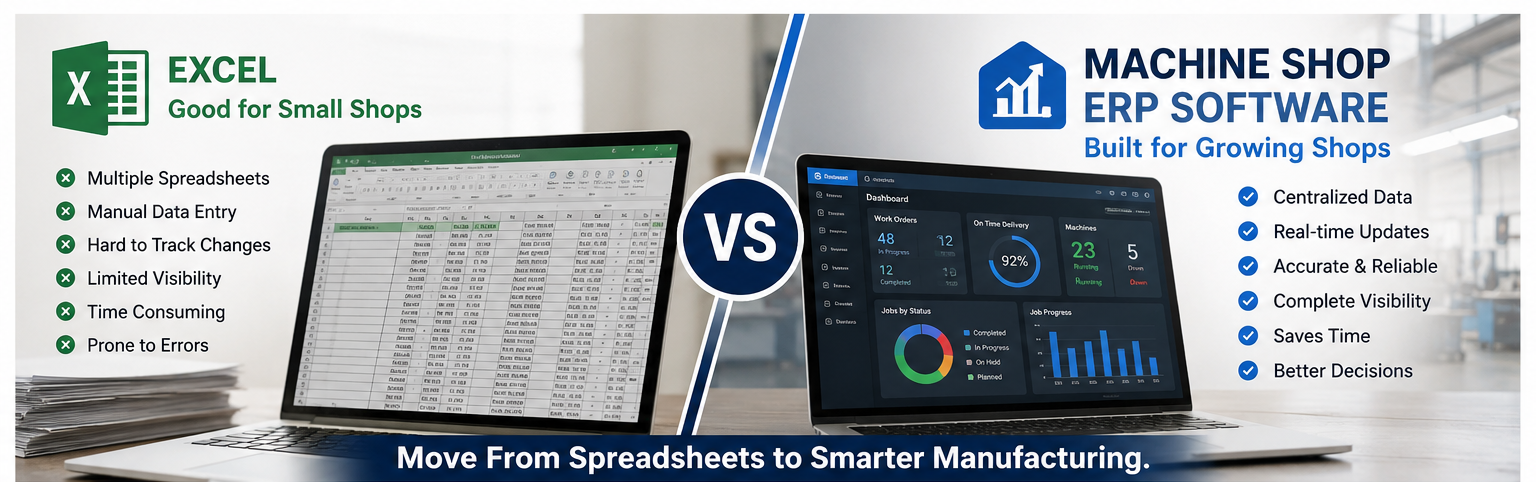
For many machine shops, Excel is where manufacturing management begins.
A spreadsheet can be useful for tracking jobs, creating production schedules, recording material usage, calculating costs, and maintaining customer information. When a shop is small and only handles a limited number of jobs, this approach may work perfectly well. Industry research shows most manufacturers are still in this position — spreadsheets remain the default starting point for a majority of shops.
The problem starts when the business grows.
More machines mean more schedules. More customers mean more work orders. More employees mean more data to maintain. Add changing priorities, inventory requirements, tooling information, production tracking, and customer delivery deadlines, and spreadsheets can quickly become difficult to manage.
At that point, the question isn’t whether Excel is a good tool. It is whether Excel is still the right tool for your operation. For a closer look at how the two actually compare feature by feature, see our full ERP vs Excel for machine shops breakdown.
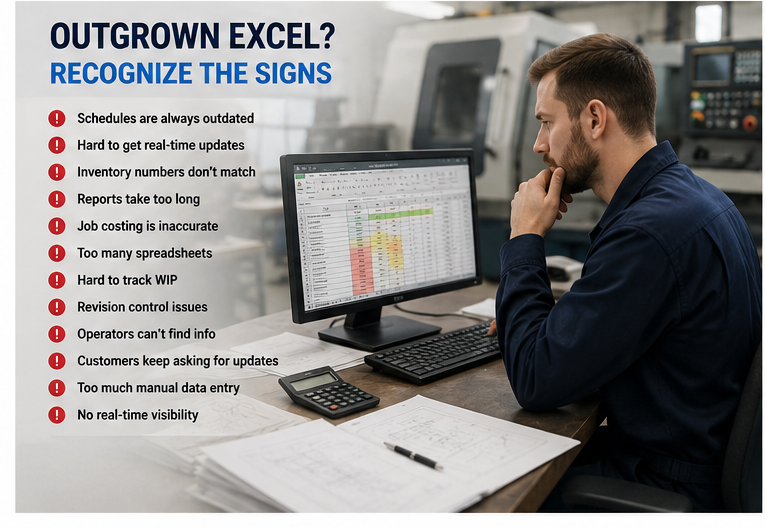
Here are 15 signs that your machine shop may have outgrown spreadsheets — and why machine shop ERP software may be the next step.
1. You Have Multiple Versions of the Same Spreadsheet
One of the first warning signs is having several versions of the same production file.
Someone updates a spreadsheet on their computer. Another employee has a copy on a shared drive. A production manager has another version.
Soon, nobody is completely sure which file contains the latest information.
A manufacturing ERP provides a centralized source of information so authorized employees can work from the same data.
2. Your Production Schedule Becomes Outdated Quickly
Machine shop schedules rarely stay fixed.
A machine may go down. A customer may request an urgent order. Material may arrive late. A job may take longer than expected.
With spreadsheets, updating the schedule manually can become a constant task.
A manufacturing ERP can connect scheduling with work orders, machine capacity, production progress, and priorities, giving managers better visibility into what needs to happen next.
3. Managers Have to Call the Shop Floor for Updates
Ask yourself:
“Where is this job right now?”
If the answer usually requires calling or walking onto the shop floor, your production information may not be centralized.
Real-time production tracking allows managers to see job progress without repeatedly interrupting operators.
That makes it easier to identify delays before they become missed delivery dates.
4. Inventory Numbers Don't Always Match Reality
Spreadsheets depend heavily on accurate manual updates.
If material is consumed but isn’t recorded immediately, the spreadsheet becomes inaccurate.
The same problem can occur with work-in-progress, finished goods, or tooling.
ERP software can connect inventory transactions with production activity, helping manufacturers maintain better visibility into materials and stock levels.
5. Employees Spend Too Much Time Entering the Same Information
Duplicate data entry is a common problem in spreadsheet-based operations.
The same job number may need to be entered into:
- A production schedule
- An inventory spreadsheet
- A costing spreadsheet
- A work order
- A reporting document
Every additional entry creates another opportunity for human error.
An integrated ERP reduces unnecessary duplication by allowing information entered once to support multiple processes.
6. Your Job Costing Is Mostly Based on Estimates
Knowing what a job should cost is different from knowing what it actually cost.
If labor, machine time, material, tooling, scrap, and rework aren’t captured accurately, quoting becomes difficult. Industry data suggests only about one in four manufacturing quotes is fully accurate on first submission — a gap that usually traces back to estimates instead of real cost data.
You may win a job that looks profitable on paper but loses money during production.
Machine shop ERP software can help connect estimated costs with actual production data, giving management a clearer picture of job profitability. Our guide on cost tracking software covers this specific problem in more depth.
7. Operators Struggle to Find the Latest Job Information
Manufacturing information can be scattered across:
- Paper travelers
- Shared folders
- Spreadsheets
- Printed drawings
- Setup documents
When an operator needs information, finding the correct version can take valuable time. This is the same gap our digital setup sheet application is built to close.
A centralized digital system can make job information easier to access while helping reduce confusion around revisions.
8. Production Reports Take Hours to Prepare
If creating a weekly production report means manually combining information from several spreadsheets, your reporting process is consuming resources that could be used elsewhere.
An ERP can centralize production data and make it easier to generate reports around jobs, machines, schedules, inventory, and other operational metrics — the kind of KPI tracking covered in our analytics guide.
Instead of spending hours assembling data, managers can spend more time analyzing it.
9. You Can't Easily Track Work in Progress
Knowing which jobs are:
- Not started
- In setup
- In production
- Waiting for material
- Waiting for inspection
- Complete
is critical for managing a machine shop.
Spreadsheets can track this information, but maintaining accurate status across many jobs becomes increasingly difficult.
A connected production system provides greater visibility into work-in-progress.
10. Customer Status Requests Are Becoming a Problem
Customers want answers.
“Has our order started?”
“When will it ship?”
“Is the job still on schedule?”
If answering these questions requires checking several spreadsheets or contacting multiple employees, customer communication becomes inefficient.
Centralized production information makes it easier for customer-facing teams to provide accurate updates.
11. Tooling Information Is Scattered
CNC production depends heavily on tooling.
If tool information is maintained separately from production information, employees may spend unnecessary time searching for:
- Tool numbers
- Tool locations
- Tool requirements
- Tool usage
- Setup information
As a shop grows, digital tool crib management can become an important part of the overall manufacturing workflow.
12. Schedule Changes Create a Domino Effect
A change to one job can affect everything around it.
Moving one order may change:
- Machine availability
- Material requirements
- Operator assignments
- Delivery dates
- Tooling requirements
When these relationships are managed manually, schedule changes can create significant administrative work.
Integrated manufacturing software makes it easier to understand how changes affect the wider production process.
13. Your Spreadsheets Have Become Too Complicated
There is a point where a spreadsheet stops being a simple spreadsheet.
It may contain:
- Dozens of tabs
- Complex formulas
- Macros
- Conditional formatting
- Hidden columns
- Multiple linked files
- Manual processes
If only one person understands how the spreadsheet works, you have created a business dependency.
Your production system shouldn’t depend on one employee knowing which cell to update.
14. Your Business Is Growing Faster Than Your Processes
Growth should make a business stronger—not create more administrative work.
If adding another customer or machine requires creating another spreadsheet, another tracking system, or another manual workflow, your processes may not be scalable.
This is often the point when manufacturers begin looking for dedicated machine shop management software.
15. You Don't Have One Reliable View of Your Business
Perhaps the biggest warning sign is simple:
You don’t have one place where you can see what is happening across the business.
Management needs answers about production.
Purchasing needs inventory information.
Operators need job information.
Sales needs delivery information.
Finance needs costing information.
When every department maintains separate data, getting a complete picture becomes difficult.
An ERP brings these processes together.
When Should a Machine Shop Replace Excel?
You don’t necessarily need to abandon Excel completely.
Excel remains useful for analysis, calculations, ad-hoc reporting, and many other tasks.
The problem is using it as the central operating system for a growing manufacturing business.
If your team is spending more time maintaining spreadsheets than using the information inside them, it may be time to consider dedicated manufacturing software — and to understand what that software typically costs before you start evaluating vendors.
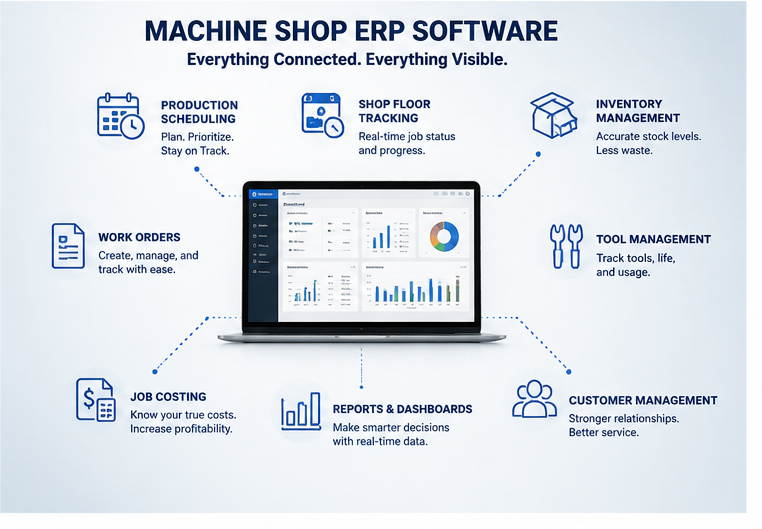
A good machine shop ERP should help connect the processes that matter most to your operation.
These may include:
- Production scheduling
- Work order management
- Inventory control
- Shop floor tracking
- Job costing
- Production reporting
- Tool management
- Manufacturing analytics
The objective isn’t simply to replace Excel.
The objective is to create a more connected manufacturing operation.
How Texono Helps Machine Shops Move Beyond Spreadsheets
Texono’s Machine Shop ERP is designed to bring important manufacturing processes into a connected digital environment.
Instead of relying on separate spreadsheets for production, scheduling, inventory, and shop floor information, manufacturers can centralize their operational data.
Texono also provides specialized applications for areas such as CNC setup sheets, tool crib management, production tracking, costing, task management, and other manufacturing workflows.
This approach allows manufacturers to digitize individual processes while building toward a more connected manufacturing operation.
For a growing machine shop, the goal isn’t simply to use more software.
It is to have the right information available to the right people at the right time.
Frequently Asked Questions
No. Excel still has a place for ad-hoc analysis and reporting. The issue is relying on it as the central system running every part of production.
There’s no fixed number, but if three or more sound familiar — especially ones tied to real production problems like outdated schedules or inaccurate job costing — it’s worth evaluating.
Scheduling and job costing tend to be the most common starting points, since they’re usually where spreadsheet errors cause the most visible, costly problems.
Final Thoughts
Excel has earned its place in manufacturing.
It is flexible, familiar, inexpensive, and powerful.
But those same advantages can eventually become limitations when a machine shop grows beyond the point where spreadsheets can be easily controlled.
If your production schedule is constantly changing, inventory data is difficult to trust, job costing is mostly estimated, operators struggle to find information, and managers have to chase people for production updates, these aren’t simply spreadsheet problems.
They are signs that your manufacturing processes may need a more connected system.
Machine shop ERP software can provide that foundation by connecting production, scheduling, inventory, costing, and shop floor information.
The right time to evaluate an ERP isn’t necessarily when Excel completely fails.
It’s when your business has reached the point where managing Excel is becoming harder than managing the manufacturing operation itself.
Ready to Move Beyond Spreadsheets?
If your machine shop is spending too much time managing spreadsheets and not enough time managing production, it may be time to explore a more connected approach.

We help your business grow with powerful SaaS solutions
Resources
© 2026 Texono. All rights reserved.