Costing Application Guide: What It Does and Who Needs One
Table of Contents
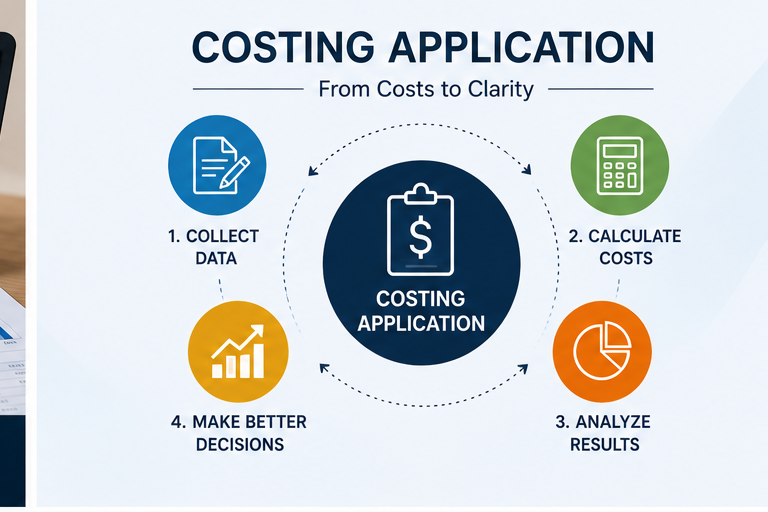
f you’ve ever quoted a job, watched it run, and then found out weeks later it actually lost money, you already understand the problem a costing application solves. It’s software built to track what a job really costs while it’s still running — not after the invoice goes out.
This guide covers what Texono’s Costing Application specifically does, how it fits into a machine shop’s workflow, and how to know if your shop is at the point where it’s worth adopting.
What a Costing Application Tracks
At its core, a costing application captures the real inputs behind a job’s cost as they happen, and compares them against the original quote. For Texono’s Costing Application, that means pulling together:
- Labor — actual hours logged against the job
- Materials — what was consumed, not just what was planned
- Tooling — tool wear and consumables tied to the specific job, pulled directly from tool crib usage data
- Machine time and overhead — actual run time and shop overhead allocated per job
Rather than requiring someone to re-enter this information into a separate spreadsheet, the application ties job costing directly into tool crib usage, labor tracking, and material consumption — so the cost picture updates as the job runs, not after it closes. If you want the fuller explanation of why this timing matters, our post on what cost tracking software actually does covers the concept in more depth.
Who the Costing Application Is Built For
This isn’t necessary for every shop at every stage. It tends to become valuable once:
- You quote a wide mix of job types and suspect some are consistently under-quoted
- Job costing currently lives in a spreadsheet that gets updated inconsistently, a pattern we cover in ERP vs Excel for machine shops
- You’ve been surprised by a job’s actual cost after it closed, more than once
- You want tool crib and material costs tied to specific jobs instead of treated as general overhead
Smaller shops with a tight, simple job mix and close owner oversight can sometimes manage without one for a while — growth is usually what changes that.
How It Fits Into the Rest of Texono's Platform
The Costing Application isn’t built to run in isolation. It’s one of the modular applications inside Texono’s Manufacturing ERP and Machine Shop ERP, designed to connect with:
- ToolCrib Application — so tool usage and wear feed directly into job cost
- Setup Sheet Application — so setup time and parameters tie back to the job they belong to
- Task Management App — for labor time tracked against specific tasks and jobs
You can run the Costing Application as a standalone module or as part of the full ERP, depending on what your shop needs right now.
What to Look For When Evaluating a Costing Application
If you’re comparing options — Texono’s or anyone else’s — these are the questions worth asking:
- Does it show variance in real time, or only after the job closes? Real-time variance is what lets you actually react while a job is still running.
- Does it connect to tool and material data automatically, or require manual entry? Manual entry is where costing systems quietly fail — it depends on someone remembering to log it under deadline pressure.
- Can it tie costs to a specific job number, not just a general category? Job-level accuracy is what makes the data useful for future quoting.
- Does it feed quoting decisions, or just produce a report? The real value is in a feedback loop — a system that just reports after the fact doesn’t change future quotes.
Frequently Asked Questions
Yes, in concept — a costing application is a type of cost tracking software, specifically the module or product you’d actually install and use. Our separate guide covers the broader concept if you want that context first.
Yes, it can run as a standalone module, though it connects most powerfully when tied into tool crib and setup sheet data from the broader Machine Shop ERP.
A spreadsheet depends on manual, often delayed updates. The Costing Application pulls data from where it’s generated — tool checkout, labor logging, material usage — so the numbers stay current without someone re-entering them.
Ready to see it in action?
Texono’s Costing Application ties job costing directly into tool crib usage, labor tracking, and material consumption — giving you real-time quote-to-actual visibility instead of a monthly surprise.

We help your business grow with powerful SaaS solutions
Resources
© 2026 Texono. All rights reserved.