- Application
Task Management Application
Task Management Application is used to organize, prioritize, and track tasks within the organization between different employees or teams to manage projects, workflows, and deadlines.
About Task Management App
The Task Management App is a custom web application designed to help teams and organizations manage and complete tasks. This app is also available as a modular part of our Manufacturing ERP system to manage organizational tasks.
#1 Task Management: The app facilitates the organization, prioritization, and tracking of tasks within teams and organizations.
#2 Task Allocation: Enables efficient task assignment and tracking between employees or teams.
#3 Project Management: Supports managing projects, workflows, and deadlines.
#4 Prioritization: Facilitates setting task priorities (e.g., high, medium, low) to ensure focus on the most critical items.
Task App Tasks Types
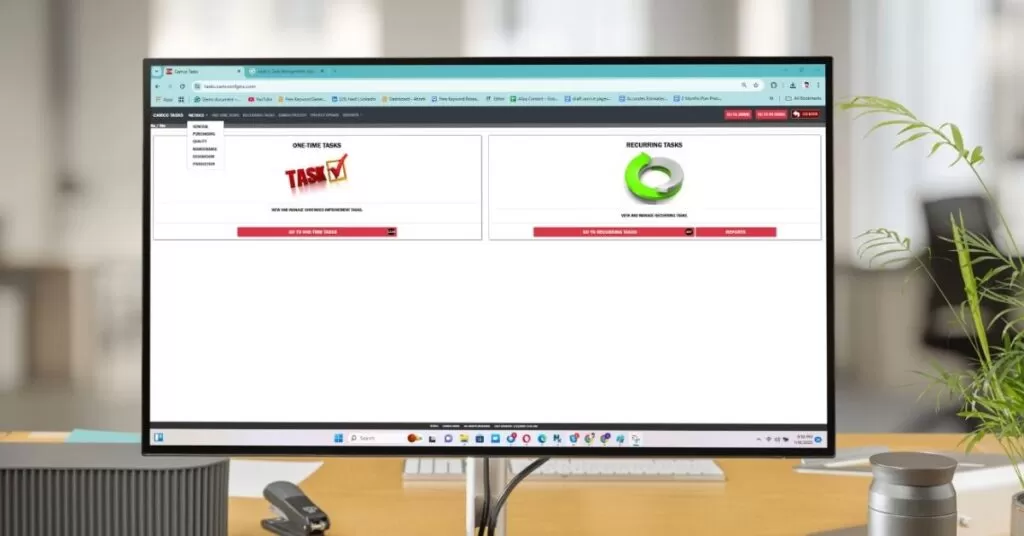
This Task Management App has two sections: One Time Tasks to see and manage ongoing improvement tasks and Recurring Tasks to see and manage recurring tasks.
One-Time Tasks
One time tasks page shows all one time needed tasks with descriptions, the person responsible, Manager, summary, last update, summary, and Tasks status like In progress, done, waiting for review, pending etc.
Recurring Tasks
Task Recurring Page shows all regular tasks that need to be done regularly. It shows total tasks, past months reports, tasks by departments, Task due date, past due tasks, add and reassign recurring tasks, reactivate tasks, and Misc task’s etc
Our Custom UI/UX Design Approach
Texono expert makes the UI/UX design for your custom application according to the application specifications and user expectations. This is like predesigning the entire application to see if the design aligns with our expectations. The UI/UX design shows the entire application interface and how users can navigate while using it. We design UI/UX & Working models for our custom applications to ensure the best user experience and interface.
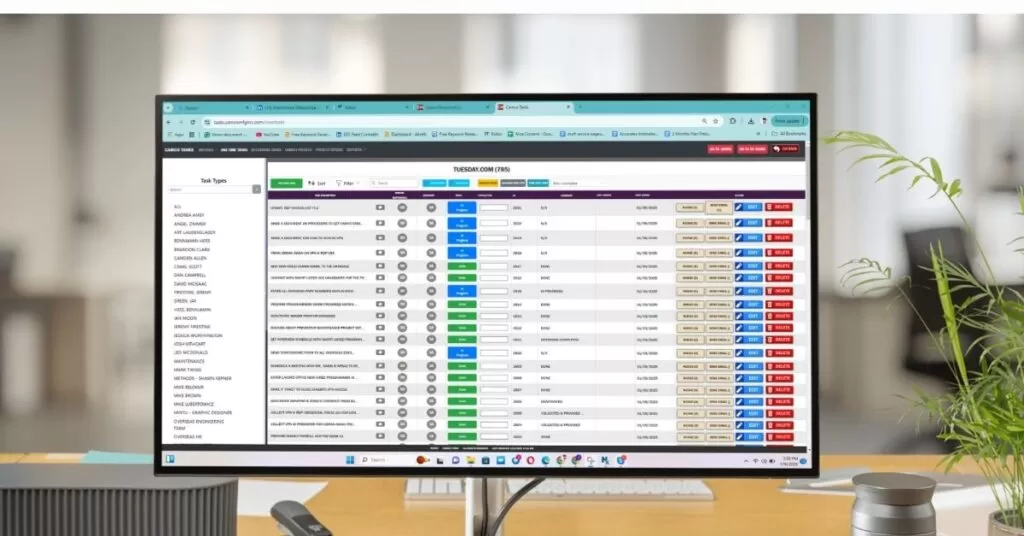
One-Time Tasks
The one time tasks option is for basic tasks that need to be solved once. This page allows searching and adding task types, adding new tasks, and allocating them, with a sort feature to filter each task with details such as task description, person responsible, manager, status, costing code, ID, summary, last update, and date added. It also facilitates to easily nudge, send an email, edit, or delete tasks with just a click and provide options to add new tasks, sort, and filter tasks.
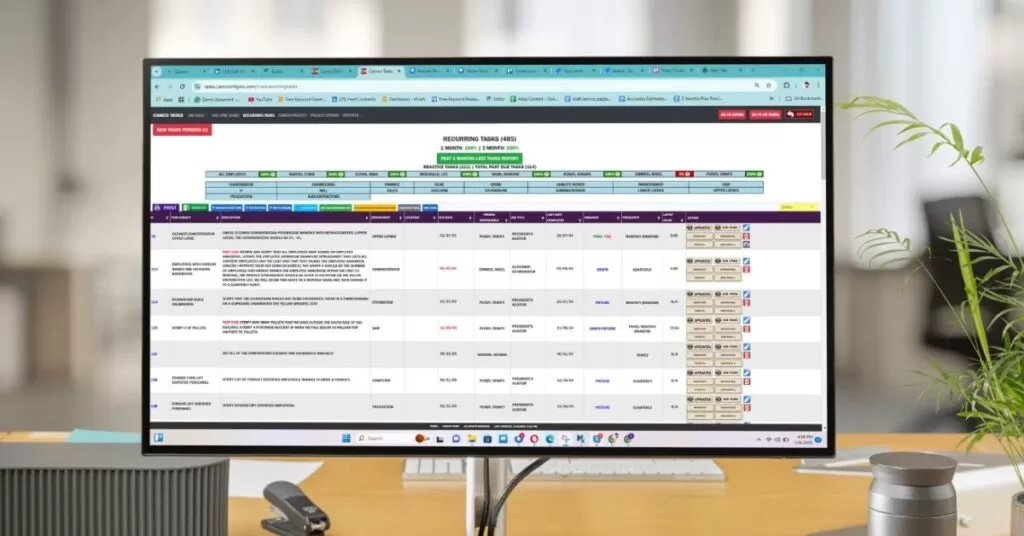
Recurring Tasks
The Recurring Tasks section of the Task Management App automates the task management that needs regular completion. It provides comprehensive details for each task, such as task source, description, department, location, due date, assigned person, job title, last completed date, required actions, frequency, latest value, and available actions. This page features include automated scheduling, detailed task information, user assignments with notifications, performance tracking, and integration with other features like metrics and reports.
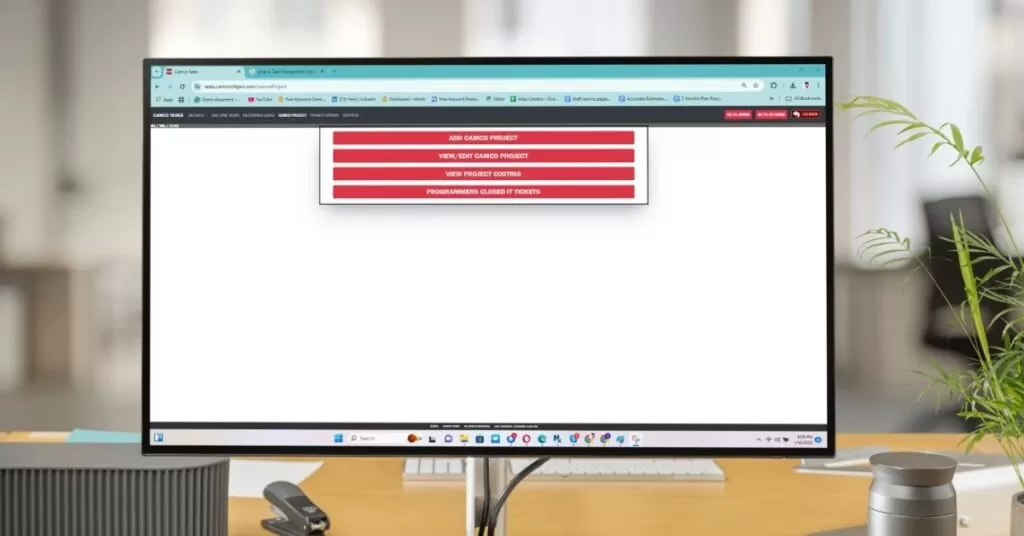
Projects Add/View
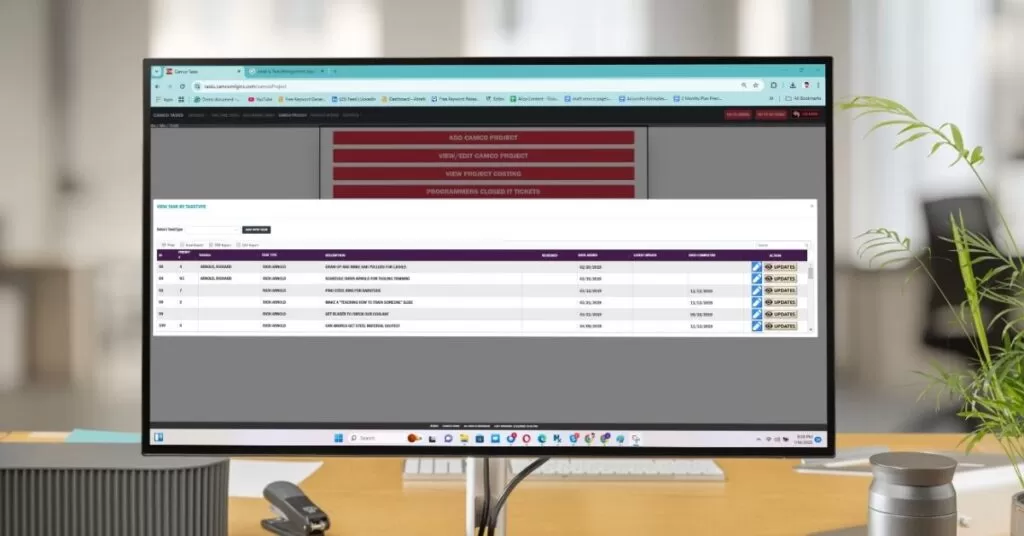
The Project section is designed to efficiently manage and track various projects within the organization. This is used to manage and create, view, edit, and monitor projects, as well as to keep track of IT tickets closed by programmers. It allows users to add new projects, view and edit existing projects, monitor project costs, and track the closure of IT tickets.
Project Update
The project update section strengthens task management by allowing teams to filter, export, and analyze tasks efficiently, and the user can filter tasks and easily export them to Excel, PDF, and CSV files. It features tasks by ID, the task initiator, task priority, task type, task description, either reviewed or not dated updated and the latest date to be done, etc.
METRICS
Our METRICS menu enhances task management by providing detailed insights and analytics across various operational areas such as General, Purchasing, Quality, Maintenance, Stockroom, and Production. It offers an overview of the organization’s performance, highlighting KPIs like task completion rates and employee productivity.
Project Update
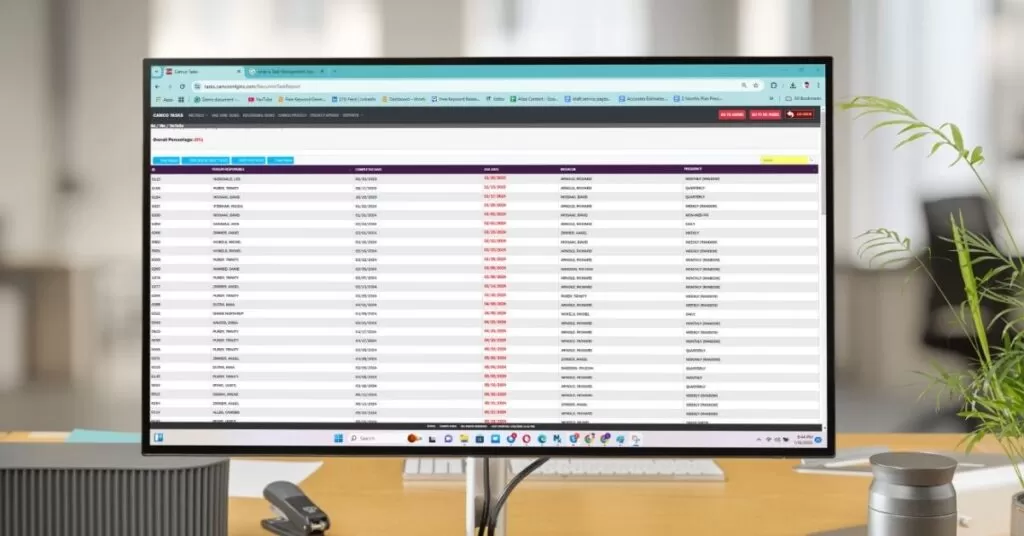
The recurring tasks report section provides a comprehensive overview of all tasks done, tasks due in the last 7 days, and past due tasks. This features Task ID, person responsible, task completed date, due date, task scheduler/initiator, and task frequency. The reports section is used to analyze all task dates and revisions, overall percentage, etc.
Simplifying Task Management According To Your Organization’s Needs
Simplifying Task Management According To Your Organization’s Needs
The task app features two sections, one for one time tasks and second for recurring tasks. When our organization needs to fix any issue or assign a task, they prioritize the app according to the task (e.g. fix tool #157). The process is simple, the manager or users can add new tasks and allocate them to specific individuals or teams within the organization.
The task will be prioritized based on its urgency. The task can also be tracked over the entire time, and the employee can update the status to review and submit. As tasks are completed, the application records this information and also provides reports for task analysis and history.
- #1 Task Selection (based on task priority and category, a task is selected to assign a relevant employee or team)
- #2 Task Assign (The task will be assigned to the employee or team and updated on a time or recurring task database)
- #3 Task Progress (The employee or team will review the task and start working to complete it, and it will show as in progress)
- #4 Task Review & Close (When the task is completed, it goes under review. The manager/assigner reviews the task and closes it.)



We help your business grow with powerful SaaS solutions.
Resources
© 2025 Texono. All rights reserved.